
How to create a clear construction snagging report
Learn how to create a clear construction snagging report with photos, actions and a shareable PDF. Build your snag list report fast on your phone.
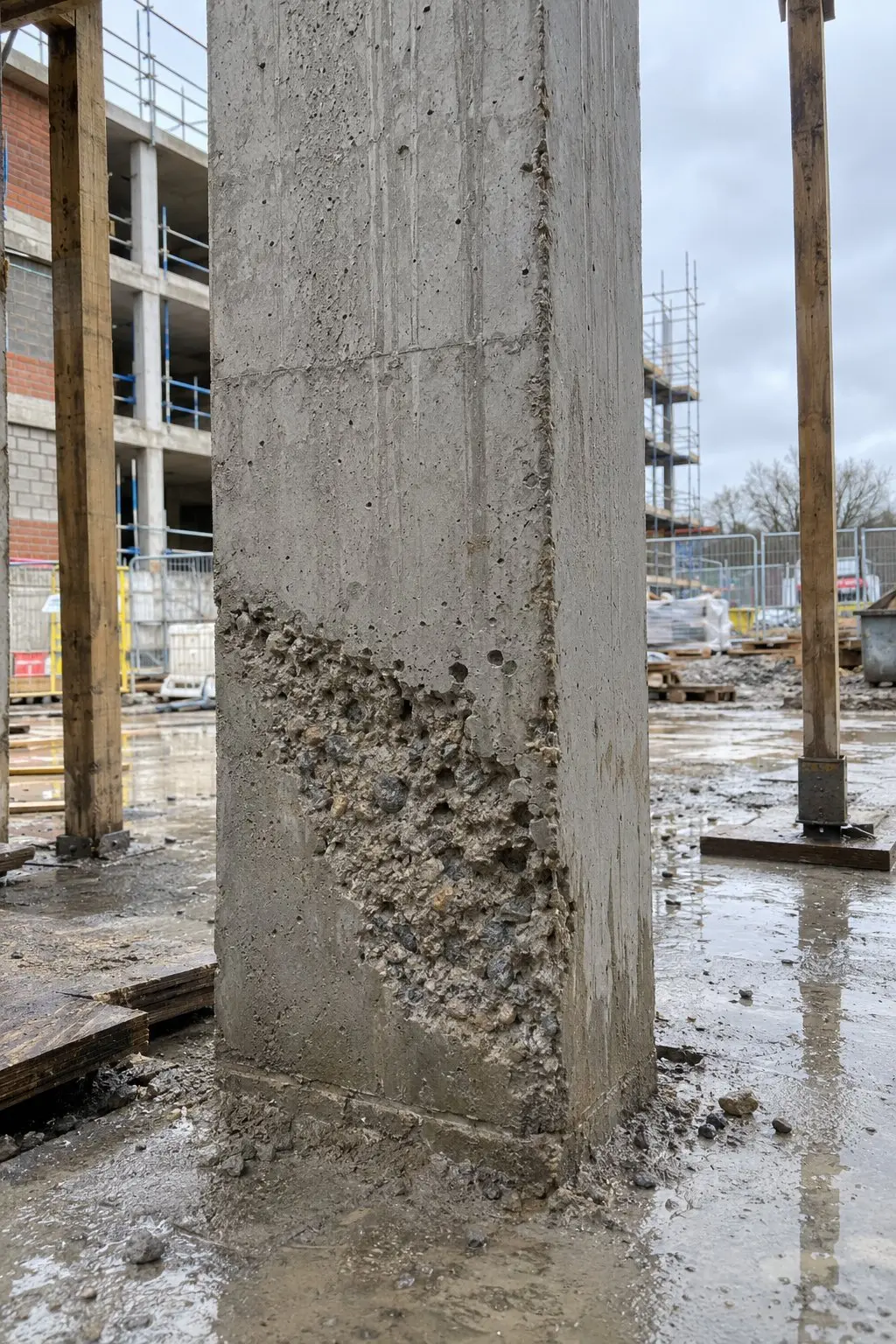
Construction snagging is an essential component of work checking before handover or transitioning to the next phase of the project. But the detection of defects is just one part of the problem. Each and every problem must be documented in a clear way and understood by the correct individual, so that it may be sorted in an orderly manner and validated after repair.
A clear construction snagging report answers four questions on every page. If your snag list report contains information on what’s gone wrong, where, how, and by whom, then fewer people will be calling to ask what you mean.
Start with the photo
Effective construction snagging starts on site. Taking a photo when you spot the snag will help. For example, a picture of a chipped door frame is much clearer than a text description stating ‘door damaged’.
Get right up to the snag and take a photo so that you can easily see where it is. Take a second photo and whilst you are there, add a brief comment. This could be something as simple as ‘Seal again’ or ‘Repaint handrail’.
Within Thanex you can select which project you wish to add to, what Snagging record you want to create and add any relevant tags for example Block C, Level 2, Balcony. Thanex saves who took it, their job title and organisation, the date and time, the GPS location, and a unique Photo ID. You don’t need to write any of that down yourself. Basements and plant rooms are common snag spots, and photos taken with no signal upload once you’re back online.
What to include in a snag list report
All construction snagging reports should contain the following basic information:
- Work checked: Plot/Room/Package and Date
- Photos by area: Snags should be grouped into blocks, levels, and rooms to allow each trade to easily identify their snags.
- Issues and decisions: What is the issue? What needs to be done? Who is responsible? Highlight any issues which require a decision from the client/designer.
- Next week: when fixes are due and when you'll go back to recheck.
A kitchen first fix example
Say you’re walking to the kitchen at first fix on a new house. You spot a socket back box set too low, a pipe run that isn’t clipped, and a gap above the stud wall board.
Photograph each one. Tag them House 4, Ground floor and Kitchen. Then write the action in the note.
Tags
Snag 1: Socket back box set too low
Action: “Move the back box up to match the drawing.”
Snag 2: Pipe run that isn't clipped
Action: “Clip pipe run.”
Snag 3: Gap above the stud wall board
Action: “Close the gap above the board before plastering.”
That’s three photos, three notes, and one clear snag list report. Fixing these now is much easier than cutting into finished plaster later. And because the photos are dated, you can see the kitchen as it was before the boards went up.
Build the report on your phone
This is where many teams lose an evening, pasting photos into a document. Thanex does it on your phone.
Open your project. Filter by date and area. Select the photos you need. Choose a layout, then tap Make report.
One per page and Thumbnails are the two layouts. One per page suits a construction snagging report, because each snag gets its own page with the action above the photo. Thumbnails suit a handover pack with lots of photos. You can see both in the sample snag list and the sample handover report.
Thanex groups the photos by record type and area, and adds a contents page for you. You don’t number pages or drag pictures around. In one test, a 21-page report from 196 photos took about a minute. Your time will depend on how many photos you pick.
Add an action or a comment to any photo to say what needs fixing. If a supervisor and a subcontractor both photographed the same area, you can select photos from different team members for the same report. Subcontractors use the same tags as your own team, so their snags are filed in the same place.
The result is a PDF you can send by email, WhatsApp, or any way you share files. The reader doesn’t need Thanex to open it.
Prefer a bigger screen? Thanex Web lets you find and download photos and create PDF reports from a browser, which suits a quiet hour in the site office.

Check it before you send
Read your snag list report like the person who has to fix the snags.
Thanex helps you organise your site evidence and make the PDF. It doesn’t certify work or confirm compliance.
Make your next snag list quicker
The best construction snagging habit is simple. Tag and photograph as you walk, and build the report the same day while the site’s fresh in your head.
See a sample report to look at a Thanex snag list report page by page, or download Thanex free on iPhone or Android and make your first construction snagging report from your next walk round.