You are staring at a USB stick containing 15,000 unsorted files. You need to find one specific drainage run to get an invoice cleared, but the image is buried. You check the site group chat. The metadata is stripped. The location data is gone. You are part of the 72% of UK construction professionals currently losing 13 hours every week to this administrative mess. Capturing construction progress photos with GPS should be the simplest part of your day, not a desperate hunt for missing evidence.
It is frustrating to know the work is finished but be unable to prove it to a client. We agree that your true value lies in managing the build, not scrolling through a personal camera roll. This article explains how to secure your project records and meet the Golden Thread requirements for buildings over 18 metres or 7 storeys. You will learn how selecting a Photo Type on a dedicated work camera provides the defensible history you need to build trust, protect your reputation, and get paid on time.
Key Takeaways
- Stop losing 13 hours every week to administrative tasks by capturing site evidence that is organised the moment the work is finished.
- Ensure your business gets paid on time by using construction progress photos with GPS to provide defensible proof of completed work.
- Meet the Golden Thread requirements for buildings over 18 metres or 7 storeys by maintaining a secure and accurate digital record.
- Protect your professional reputation by keeping work evidence out of group chats and personal camera rolls where vital metadata is often stripped.
- Build lasting trust with your clients by using manual Photo Type selection to create an intentional and reliable project history.
Table of Contents
- The hidden cost of unverified site photos
- Capturing progress with GPS and Photo Type selection
- Meeting the Golden Thread standard for UK projects
The hidden cost of unverified site photos
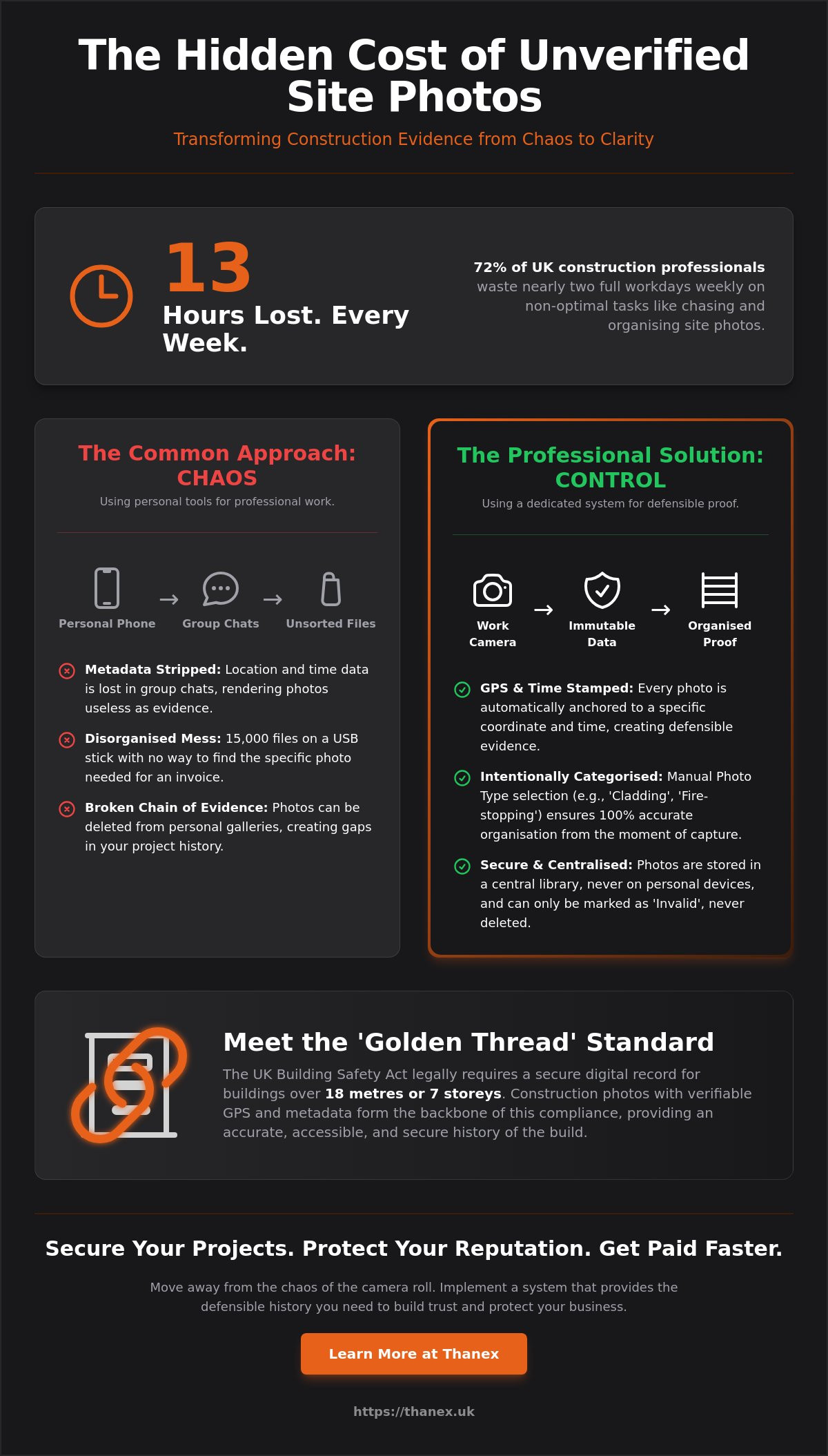
You are looking at a photo of a fire-stop. The subcontractor says it is the third floor. The building inspector disagrees. You scroll back through your personal camera roll, but there is no proof of location. The evidence is missing. This moment of doubt is part of the 13 hours per week construction bosses lose to non-optimal activities like chasing site photos and managing admin.
The problem starts with how we share information. Currently, 72% of UK construction professionals use group chats to track progress. These apps strip metadata. They turn a professional geotagged photograph into a flat image with no history. Then there is the universal nightmare of photos lost across disconnected systems. You end up with 15,000 images on a single USB stick, making it impossible to find the one record you need for a payment claim. Sound familiar?
Why your phone gallery is a liability
Mixing personal photos with work evidence creates a disorganised mess. Your holiday photos shouldn't sit next to a structural beam. In a standard phone gallery, photos can be deleted. This breaks the chain of evidence for your project. Thanex stores photos directly in the work camera. They can only be marked as Invalid, never deleted. This ensures your construction progress photos with GPS remain a reliable record of the work done.
The admin burden on the modern Boss
Your job is to find clients and manage the programme. It is not to sort through subcontractor messages or organise files. When you use consumer tools for professional labour, disorganisation is inevitable. The system is broken, not you. Moving away from the chaos of the camera roll allows you to focus on the work that actually generates profit. You need construction progress photos with GPS that work as hard as you do.
Capturing progress with GPS and Photo Type selection
While professionals routinely take site photos, the quality of that data varies. A standard camera app is passive. It captures an image, but it doesn't understand the context of the build. Thanex makes the capture intentional. The moment you press the shutter, the work camera anchors the image to a specific coordinate and time. This creates construction progress photos with GPS that are tied to the physical reality of your project.
Many tools rely on "auto-tagging" to sort files. On a complex site with overlapping trades, this often fails. A photo of a structural beam is just a photo unless you define it. Thanex requires a manual Photo Type selection before you take the photo. You tell the camera it is "cladding" or "fire-stopping." This step ensures the metadata is accurate. It links the location, the time, and the job title to the evidence. The system is no longer guessing. It is documenting.
For the Boss, this provides a clear view of the site without needing to be there. You can see the progress of a specific drainage run or groundworks phase from your office. The metadata is immutable. It cannot be altered or stripped by group chats. This builds a defensible history that helps you protect the work you have already done.
Steps to capture defensible evidence
- Open the work camera and select the specific Photo Type for the task. This categorises the evidence before the shutter even clicks.
- Confirm the GPS signal is active. This ensures the photo is anchored to the correct site plan location.
- Capture the work as it happens. The proof exists the second the task is finished.
Organising without the admin
One extra tap ensures every photo is organised by Photo Type and project. You no longer need to spend Sunday evenings moving files from a phone to a server. Photos are stored in a central library, not on individual devices. This keeps your personal life separate from your professional evidence. You can explore the full range of work camera mechanisms to see how this fits your workflow.
Your job is to manage the build and get paid. It is not to prove the work twice. By capturing the right data at the start, you eliminate the busy work later. The proof is ready when the client asks for it.
Meeting the Golden Thread standard for UK projects
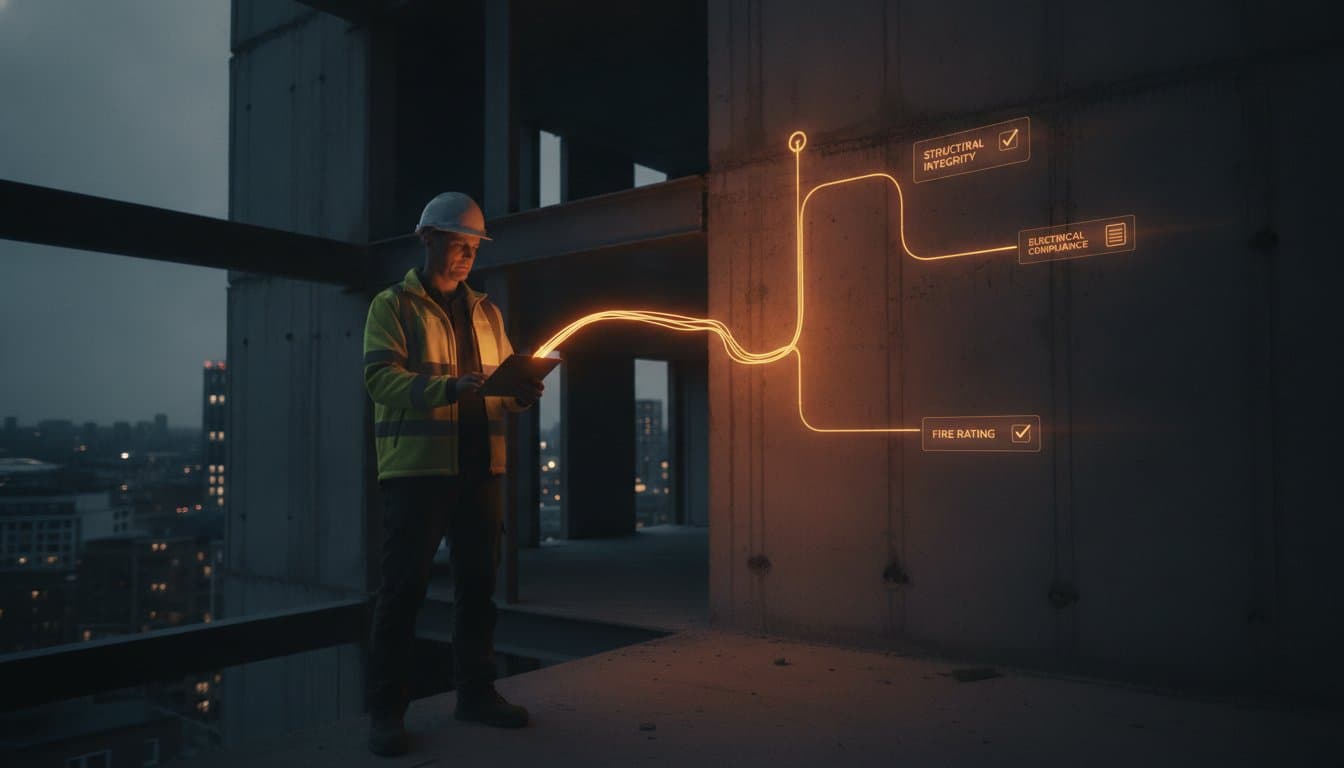
The UK construction landscape has changed. For higher-risk buildings, specifically those over the 18-metre or 7-storey threshold, the Building Safety Act now requires a digital "golden thread" of information. This is not a suggestion; it is a legal necessity. Your project records must be accurate, accessible, and secure throughout the building lifecycle. Construction progress photos with GPS form the backbone of this requirement by providing a verifiable link between the work done and its physical location.
Imagine an auditor walks onto the site. In the past, this meant a frantic search through group chats or disconnected folders. Now, you are ready at a moment’s notice. Because you used a work camera to capture every fire-stop and structural connection, the evidence is already searchable. You aren't just taking pictures; you are building a digital history that protects your business and the people who will live in the building. Capture Work. Build Trust. The proof exists the moment the work is done.
Defensible evidence for payment and compliance
GPS data is your strongest ally in resolving payment disputes. When a client questions an invoice for groundworks, you can prove the exact location and time of the completed task. This evidence is stored with immutable metadata that cannot be altered. To make management even simpler, Thanex provides a read-only connection that works with your AI. This allows you to find specific images amongst thousands without manual sorting. You can explore construction evidence solutions designed specifically for the UK regulatory environment.
Preparing for the May 2026 launch
The shift from disorganised galleries to a professional work camera is essential for the modern site. As we approach the May 2026 launch, the industry is moving away from consumer tools that fail to meet professional standards. Your job is to do the work and get paid, not prove it twice. By using construction progress photos with GPS, you ensure that the proof is captured correctly the first time.
Thanex launches May 2026. Get early access at thanex.uk/early-access.
Secure your project evidence today
You don't have to spend another weekend sifting through a personal gallery to prove a task was completed. The shift to professional documentation is about more than just convenience. It is about meeting the Golden Thread requirements for buildings over the 18-metre or 7-storey threshold. By moving your construction progress photos with GPS out of messy group chats and into a dedicated work camera, you protect the proof of the work you've already done.
The Building Safety Act has changed the rules. You need evidence that is searchable, secure, and tied to a specific location. Thanex was built specifically for these UK compliance standards. It organises your site records with one extra tap, ensuring you are ready for any audit or payment dispute. You can build the kind of trust that wins repeat work by capturing evidence the moment the work is finished.
Your job is to do the work and get paid. Not prove it twice. The proof should exist the moment the work is done. Capture Work. Build Trust.
Thanex launches May 2026. Get early access at thanex.uk/early-access.
Frequently Asked Questions
How does GPS metadata help with the Building Safety Act?
GPS metadata provides the digital anchor required to link safety-critical work to its exact physical location. For buildings reaching the 18-metre or 7-storey threshold, the Building Safety Act demands a clear, up-to-date record of every installation. By using construction progress photos with GPS, you create a digital thread that allows inspectors to verify fire-stopping or structural works without needing to open up walls. It turns a standard image into a piece of defensible evidence that stays with the building for its entire lifecycle.
Can I delete photos if I make a mistake?
You cannot delete photos once they are captured in the work camera. This is a deliberate choice to maintain a secure chain of evidence for your project. If a photo is blurry or taken in error, you simply mark it as Invalid. The image remains in the system but is excluded from your active progress records and reports. This approach protects your reputation during payment disputes because it proves the site history has not been tampered with or edited after the fact.
Why do I have to select a Photo Type before taking a picture?
Selecting a Photo Type before you press the shutter ensures every photo is organised the moment the work is done. This manual step replaces the "broken system" of sorting through thousands of files on a USB stick or scrolling through a personal camera roll. One extra tap categorises the work by trade and task, such as drainage or cladding. It ensures that your evidence is intentional and searchable, allowing you to find a specific record in seconds rather than losing hours to admin.
How does the AI connection work with my photos?
The system works with your AI via a read-only connection to help you find specific records amongst your site history. You don't have to worry about manual tagging or complex filing systems. Instead, your chosen AI assistant can scan the metadata and Photo Types to identify progress or locate specific evidence. This connection allows you to query your project data without risking the security of the original photos stored within the work camera. It is a practical way to manage large volumes of evidence efficiently.
Thanex launches May 2026. Get early access at thanex.uk/early-access.