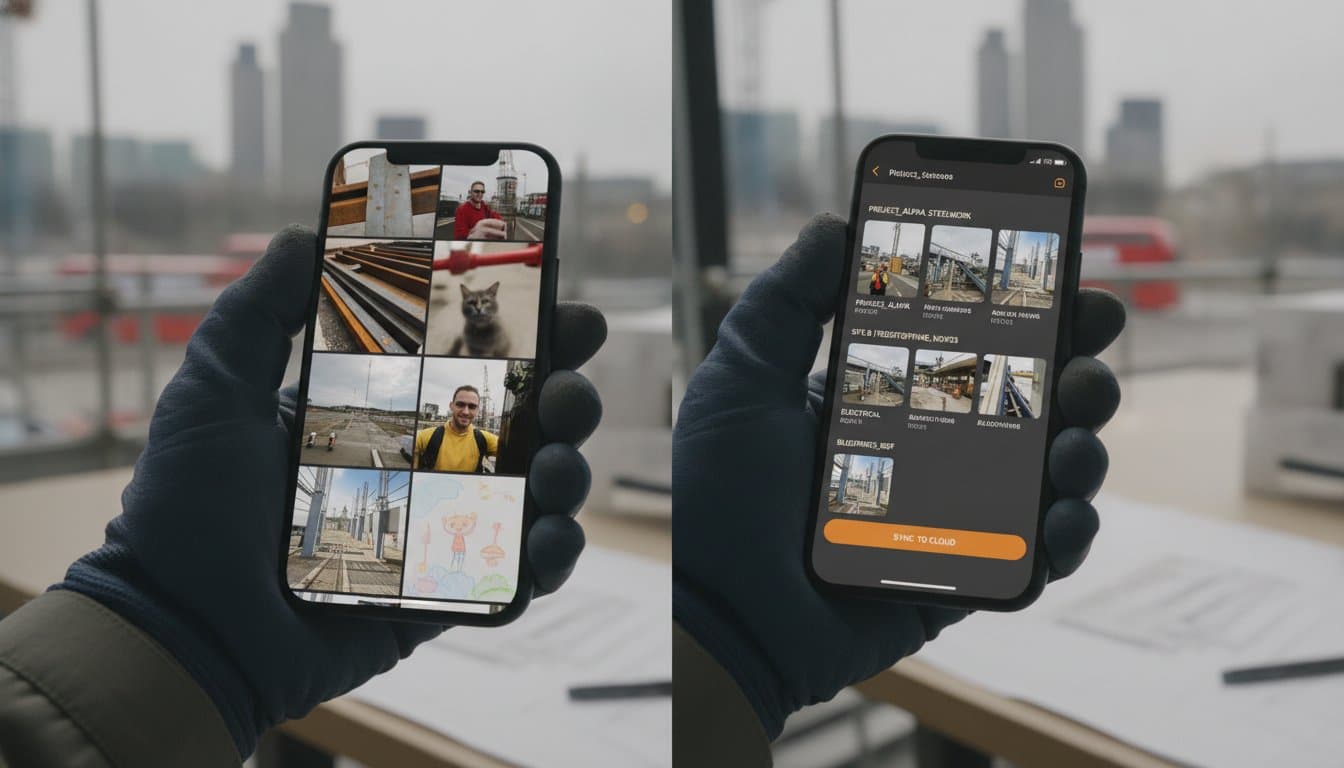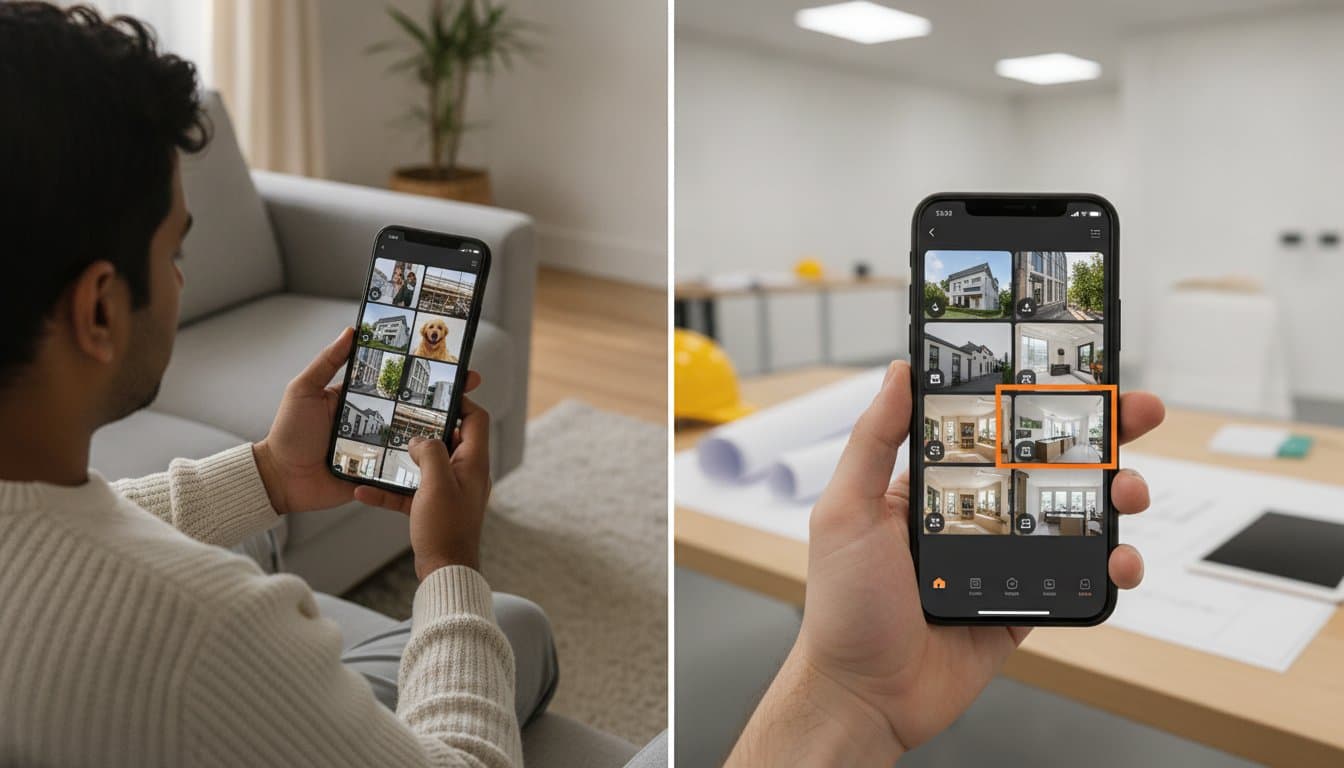
It's Sunday night and you're scrolling. You need one specific photo of a finished job to send to a client, but your camera roll is a mess. You're flicking past photos of your kids, your dog, and your Saturday morning breakfast just to find a single site record. It's frustrating. It's a massive waste of your time.
We know the struggle of losing vital evidence in group chats or realising a staff member took the job records with them when they left. You shouldn't have to spend your weekend sorting images into folders. Using a dedicated photo organiser for work teams changes everything. It's time to move from a chaotic gallery to a professional system that works as fast as your team does. Work photos shouldn't be a second job after the work is done.
We will show you how to keep work and personal photos completely separate. You'll learn how to make every image instantly searchable by project or Photo Type. No more hunting for files. Just professional records ready in seconds, captured and shared without the admin headache.
Key Takeaways
- Stop wasting time scrolling through family snaps and holiday photos just to find one piece of project evidence.
- Learn how a dedicated photo organiser for work teams keeps your professional records completely separate from your personal camera roll.
- Discover why categorising the Photo Type at the point of capture eliminates the need for manual sorting at your desk later.
- Ensure your team captures and shares work photos instantly so vital records aren't trapped on individual phones when staff leave.
- Get your Sunday nights back by moving to a professional system that makes every image searchable by project in seconds.
The hidden cost of the personal camera roll
A client calls. They want proof of a specific installation from three months ago. You open your phone and start the scroll. You flick past photos of your kids at the park, your dog, and last night’s dinner just to find one pipe fitting. It is awkward. It is a massive waste of your time. This is the mental tax of mixing your work life with your personal memories.
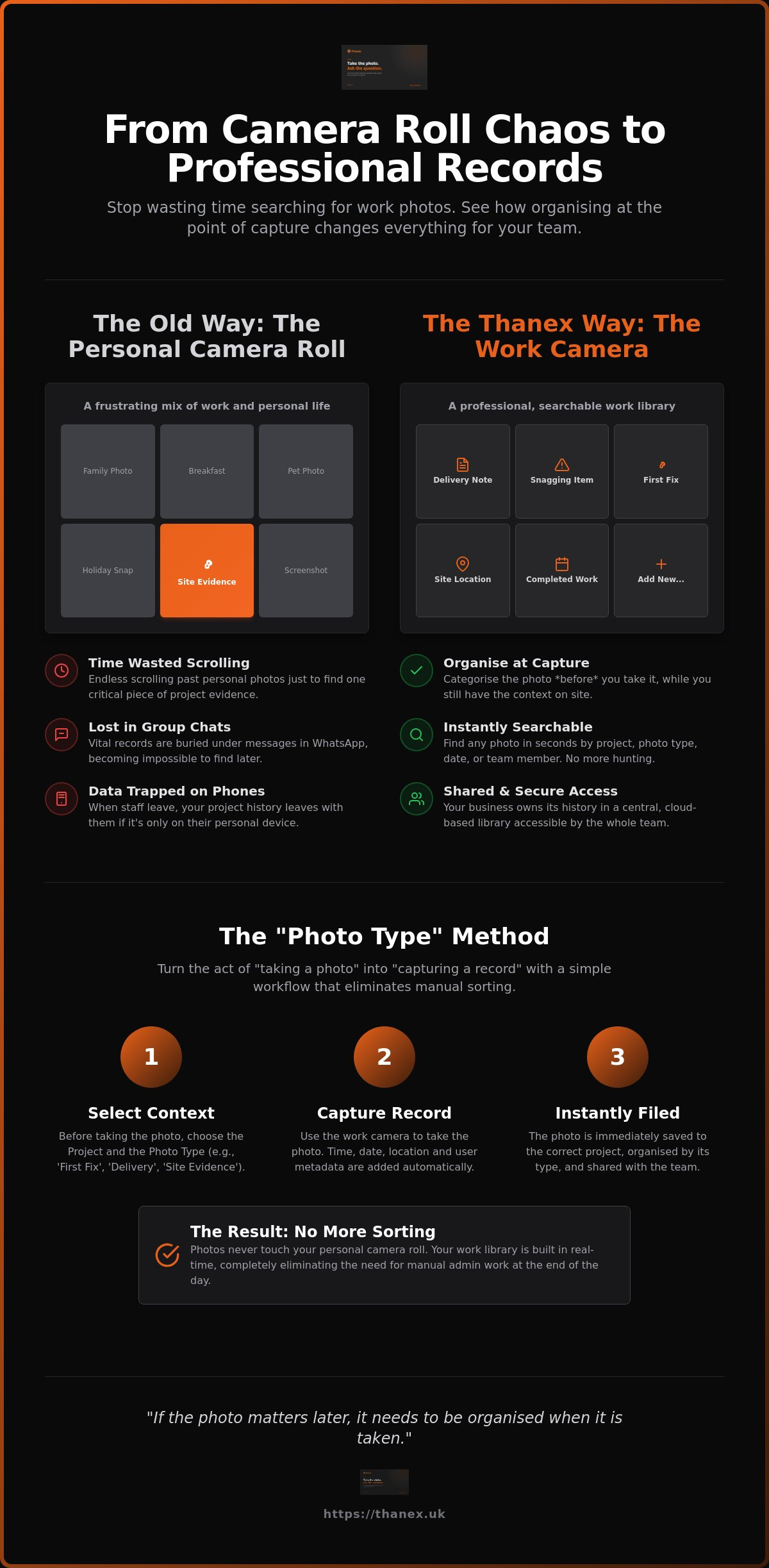
WhatsApp groups have become the place where site evidence goes to die. Once a photo is sent into a chat, it is buried under hundreds of messages. It becomes impossible to find. Even worse, when a team member leaves the business, your project history often leaves with them. If the photo is only on their private device, you have lost that record forever. A dedicated photo organiser for work teams stops this data leak. It ensures your business owns its own history.
Why manual folders are failing your team
Trying to stay organised with standard phone tools is a losing battle. Naming files on a mobile device is fiddly. It rarely happens. Creating subfolders for every project requires constant maintenance that gets ignored during busy shifts. When staff have to manually upload images to a cloud drive at the end of the day, it creates an administrative bottleneck for the office team. Professional results require a more structured approach to Digital Asset Management (DAM) than a simple folder tree can provide.
The risk of "trapped" data
Photos sitting on private phones are not business records; they are personal property. This creates a significant privacy risk for the individual and a huge information gap for the company. Finding a specific image amongst thousands of others causes "search fatigue" that drains your team's energy. You can learn more about the alternatives to WhatsApp for construction photos and why relying on personal apps puts your records at risk. Work photos need a professional home, not a hidden corner of a personal gallery.
Organise at capture: How to stop sorting photos at your desk
Most teams try to fix the mess after it happens. They sit at a desk on a Friday afternoon and try to remember where a specific pipe was buried or which van a delivery arrived in. It is a losing game. The secret to a clean library is categorising the photo before you take it. You have the context whilst you are standing on site. That is the moment to label the work.
A professional photo organiser for work teams should ask for context before the shutter clicks. This simple shift turns the act of "taking a photo" into "capturing a record". It changes your business behaviour. Instead of dumping images into a generic pile, your team creates a structured history in real time. These photos live in a dedicated work gallery. They never touch your personal camera roll. They stay where they belong.
The "Photo Type" method
The most effective way to stay organised is to select the category before you capture the image. Whether it is a "Delivery", "First Fix", or "Site Evidence", the label is attached instantly. This pre-capture selection ensures every image is tagged with its professional purpose from the first second. You can learn more about work photos that organise themselves through this simple workflow. It removes the guesswork for the office team and eliminates the need for manual sorting later.
Building a searchable work library
When photos are organised at the point of capture, they become an asset you can actually use. You can filter by project, person, or date in an instant. Searchable work photos mean you find what you need in seconds, not hours. You no longer need to hunt through messy folders or scroll through endless chat logs. Every capture automatically includes vital metadata like time and location stamps. It provides an undeniable timeline of progress that anyone on the team can access. If you want to stop the sorting and start finding, you can get started with the work camera today.
Thanex: The work camera designed for professional teams
Thanex isn't interested in your holiday snaps or family dinners. It is a dedicated work camera. It does one job: it captures and organises your work the second you press the button. By using a professional photo organiser for work teams, you finally draw a line between your job and your life. Your phone stays yours. Your work records stay professional. It is about taking control of your data before it becomes a mess.
The app stores every image in its own cloud. This keeps your phone storage free for your own videos and apps. You won't see "storage full" messages when you're trying to record a critical site moment. Most importantly, it ensures that when a staff member leaves, the business doesn't lose its history. If a photo matters three months from now, it needs to be organised when it is taken. Thanex makes that the default behaviour for every person on your team.
Real-time visibility for the whole team
Field teams capture the work whilst office teams view a live project feed. There is no waiting for manual uploads or grainy WhatsApp messages. You can generate shareable evidence report links for clients in seconds. You don't need to download, resize, or attach a single file. This level of transparency also improves subcontractor visibility. You see the quality of work as it happens, not a week later when the ceiling has been closed up and the evidence is hidden.
The "Golden Thread" of evidence
Professional standards often require a clear, undeniable record of work. You need a history you can trust. Building a work photo library ensures you are ready for any audit, inspection, or dispute. It creates a "Golden Thread" of information that protects your business and proves your progress. It turns a chaotic pile of images into a structured business asset that stays with the project, not the person.
Work photos should not become another job after the work is done. If the photo matters later, it needs to be organised when it is taken. Find a better way at thanex.uk.
Take control of your project records
Your work photos are too important to be lost amongst your personal memories. Mixing site evidence with family snaps creates a mess that costs you time and risks your data. You've seen how organising at the point of capture removes the admin burden from your desk. It turns a chaotic camera roll into a professional business asset that stays with the project.
A dedicated photo organiser for work teams ensures your records are searchable, shared, and secure. Thanex is built specifically for field teams who need to move fast. Your photos stay in a secure cloud; this keeps your personal phone storage free for your own life. With an AI-queryable library, you can find the exact image you need for a report or a client query in seconds. No more scrolling. No more guessing.
It's time to stop the Sunday night sorting sessions. Professionalise your workflow and protect your project history. Start organising your work photos today at thanex.uk. Work photos should not become another job after the work is done.
Frequently Asked Questions
How do I keep my work photos separate from my personal photos?
Use a dedicated work camera app that bypasses your phone's native gallery. Thanex captures work photos and sends them directly to secure cloud storage rather than saving them to your device. This ensures your professional records never mix with your family snaps or holiday photos. You don't have to worry about privacy or scrolling through personal memories during a site meeting.
What is the best way to share site photos with a team?
Move away from messy group chats and manual folder uploads. A professional photo organiser for work teams creates a shared project feed that updates in real time. When a team member on site captures a record, the office team can see it instantly. You can also share professional evidence reports with clients via a simple link, removing the need for bulky email attachments or file downloads.
Can I search for work photos by project name or location?
You can find any image instantly if it was categorised at the moment it was taken. Because you select the project and Photo Type before the shutter clicks, the context is attached to the image from the start. This allows you to filter your entire library by project name, location, date, or person. It removes the search fatigue of scrolling through thousands of unlabelled files in a standard gallery.
Does a work camera app use up all my phone storage?
It actually helps save your device space. Thanex stores your professional images in a dedicated cloud instead of your personal camera roll. This keeps your phone storage free for your own photos and apps. It also means that if a phone is lost or a staff member leaves the business, the work records remain safe and accessible in the cloud rather than being trapped on a private device.
Disclaimer
The Thanex team writes about work photos, photo organisation, and the problem of finding important photos later.Our experience started in construction, where clear photo records and traceability matter every day. But the problem is wider than one industry.These guides are written to be practical, honest, and focused on real work.
Frequently Asked Questions
Why manual folders are failing your team
Trying to stay organised with standard phone tools is a losing battle. Naming files on a mobile device is fiddly. It rarely happens. Creating subfolders for every project requires constant maintenance that gets ignored during busy shifts. When staff have to manually upload images to a cloud drive at the end of the day, it creates an administrative bottleneck for the office team. Professional results require a more structured approach to Digital Asset Management (DAM) than a simple folder tree can provide.
The risk of "trapped" data
Photos sitting on private phones are not business records; they are personal property. This creates a significant privacy risk for the individual and a huge information gap for the company. Finding a specific image amongst thousands of others causes "search fatigue" that drains your team's energy. You can learn more about the alternatives to WhatsApp for construction photos and why relying on personal apps puts your records at risk. Work photos need a professional home, not a hidden corner of a personal gallery. Most teams try to fix the mess after it happens. They sit at a desk on a Friday afternoon and try to remember where a specific pipe was buried or which van a delivery arrived in. It is a losing game. The secret to a clean library is categorising the photo before you take it. You have the context whilst you are standing on site. That is the moment to label the work. A professional photo organiser for work teams should ask for context before the shutter clicks. This simple shift turns the act of "taking a photo" into "capturing a record". It changes your business behaviour. Instead of dumping images into a generic pile, your team creates a structured history in real time. These photos live in a dedicated work gallery. They never touch your personal camera roll. They stay where they belong.
The "Photo Type" method
The most effective way to stay organised is to select the category before you capture the image. Whether it is a "Delivery", "First Fix", or "Site Evidence", the label is attached instantly. This pre-capture selection ensures every image is tagged with its professional purpose from the first second. You can learn more about work photos that organise themselves through this simple workflow. It removes the guesswork for the office team and eliminates the need for manual sorting later.
Building a searchable work library
When photos are organised at the point of capture, they become an asset you can actually use. You can filter by project, person, or date in an instant. Searchable work photos mean you find what you need in seconds, not hours. You no longer need to hunt through messy folders or scroll through endless chat logs. Every capture automatically includes vital metadata like time and location stamps. It provides an undeniable timeline of progress that anyone on the team can access. If you want to stop the sorting and start finding, you can get started with the work camera today. Thanex isn't interested in your holiday snaps or family dinners. It is a dedicated work camera. It does one job: it captures and organises your work the second you press the button. By using a professional photo organiser for work teams, you finally draw a line between your job and your life. Your phone stays yours. Your work records stay professional. It is about taking control of your data before it becomes a mess. The app stores every image in its own cloud. This keeps your phone storage free for your own videos and apps. You won't see "storage full" messages when you're trying to record a critical site moment. Most importantly, it ensures that when a staff member leaves, the business doesn't lose its history. If a photo matters three months from now, it needs to be organised when it is taken. Thanex makes that the default behaviour for every person on your team.
Real-time visibility for the whole team
Field teams capture the work whilst office teams view a live project feed. There is no waiting for manual uploads or grainy WhatsApp messages. You can generate shareable evidence report links for clients in seconds. You don't need to download, resize, or attach a single file. This level of transparency also improves subcontractor visibility. You see the quality of work as it happens, not a week later when the ceiling has been closed up and the evidence is hidden.
The "Golden Thread" of evidence
Professional standards often require a clear, undeniable record of work. You need a history you can trust. Building a work photo library ensures you are ready for any audit, inspection, or dispute. It creates a "Golden Thread" of information that protects your business and proves your progress. It turns a chaotic pile of images into a structured business asset that stays with the project, not the person. Work photos should not become another job after the work is done. If the photo matters later, it needs to be organised when it is taken. Find a better way at thanex.uk. Your work photos are too important to be lost amongst your personal memories. Mixing site evidence with family snaps creates a mess that costs you time and risks your data. You've seen how organising at the point of capture removes the admin burden from your desk. It turns a chaotic camera roll into a professional business asset that stays with the project. A dedicated photo organiser for work teams ensures your records are searchable, shared, and secure. Thanex is built specifically for field teams who need to move fast. Your photos stay in a secure cloud; this keeps your personal phone storage free for your own life. With an AI-queryable library, you can find the exact image you need for a report or a client query in seconds. No more scrolling. No more guessing. It's time to stop the Sunday night sorting sessions. Professionalise your workflow and protect your project history. Start organising your work photos today at thanex.uk. Work photos should not become another job after the work is done.
How do I keep my work photos separate from my personal photos?
Use a dedicated work camera app that bypasses your phone's native gallery. Thanex captures work photos and sends them directly to secure cloud storage rather than saving them to your device. This ensures your professional records never mix with your family snaps or holiday photos. You don't have to worry about privacy or scrolling through personal memories during a site meeting.
What is the best way to share site photos with a team?
Move away from messy group chats and manual folder uploads. A professional photo organiser for work teams creates a shared project feed that updates in real time. When a team member on site captures a record, the office team can see it instantly. You can also share professional evidence reports with clients via a simple link, removing the need for bulky email attachments or file downloads.
Can I search for work photos by project name or location?
You can find any image instantly if it was categorised at the moment it was taken. Because you select the project and Photo Type before the shutter clicks, the context is attached to the image from the start. This allows you to filter your entire library by project name, location, date, or person. It removes the search fatigue of scrolling through thousands of unlabelled files in a standard gallery.
Does a work camera app use up all my phone storage?
It actually helps save your device space. Thanex stores your professional images in a dedicated cloud instead of your personal camera roll. This keeps your phone storage free for your own photos and apps. It also means that if a phone is lost or a staff member leaves the business, the work records remain safe and accessible in the cloud rather than being trapped on a private device.